Apartment Intercom Not Working: Repair, Replace, or Upgrade?
A broken building intercom puts you in triage mode. Should you call a repair technician, budget for a full hardware replacement, or take advantage of modern software that works with your existing wiring? This decision guide walks through the costs, criteria, and trade-offs for each path.
Knockli Team
Property Technology
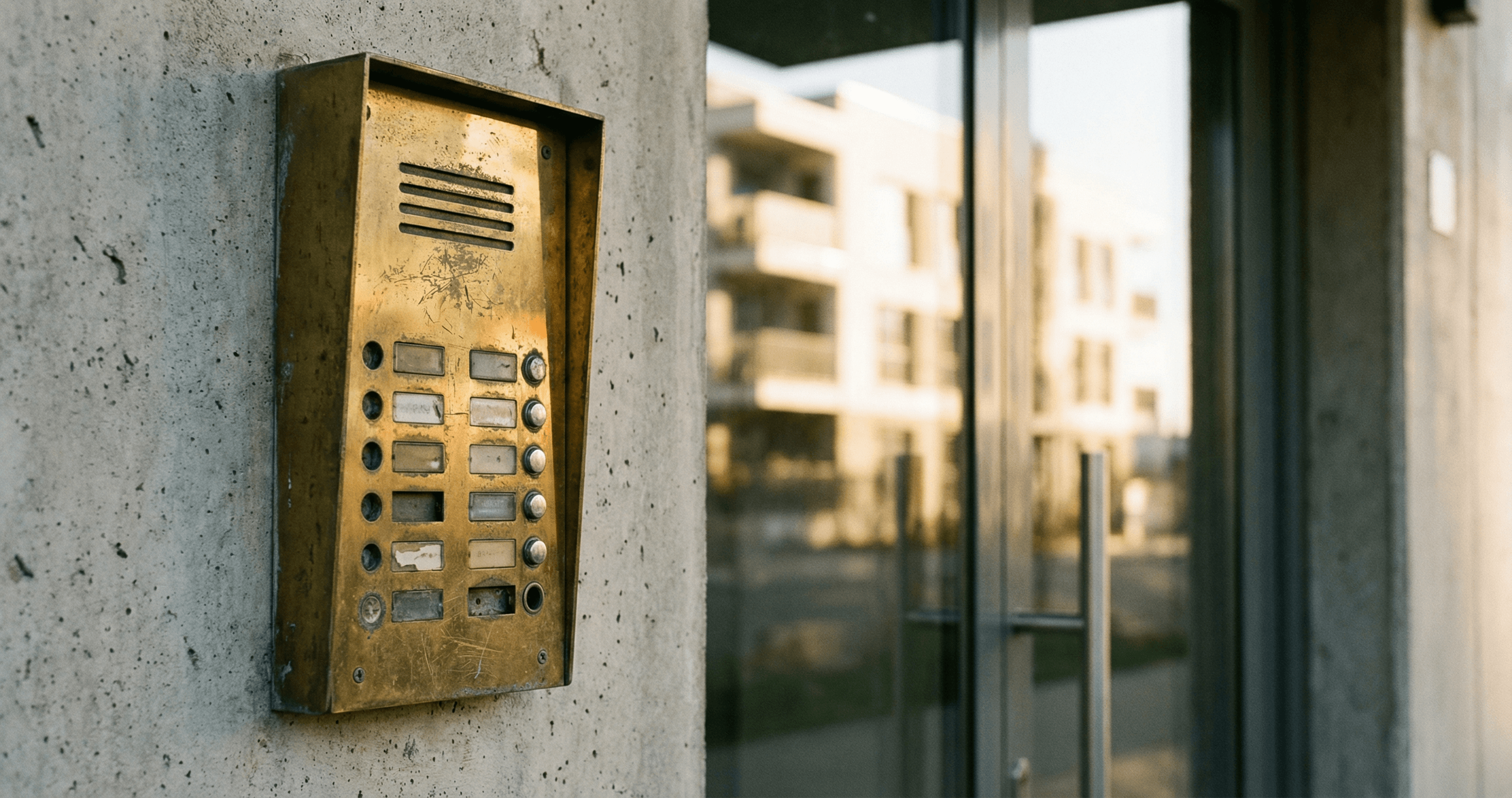
Your building intercom has stopped working. Residents are propping doors open, texting you to buzz in their guests, and filing maintenance tickets. You need a decision, fast.
The good news: there are three viable paths forward. The bad news: each has a very different cost, timeline, and outcome. Choosing the wrong one means either throwing money at a repair that fails again in six months, or committing to a $50,000+ hardware project that could have been avoided entirely.
This guide gives you a clear framework for making that call.
Intercom systems in multifamily buildings range from simple 2-wire audio systems to modern IP-based video intercoms. The right response to a failure depends on which type you have and how old it is.
Before diving into the decision criteria, it helps to know what you're actually dealing with. If you manage a building where residents handle their own buzzer troubleshooting, point them to our resident's guide to apartment intercom fixes. For the property manager's perspective, read on.
Building Intercom Not Working: Three Paths Forward
| Situation | Best Path |
|---|---|
| System under 10 years old, isolated failure, parts available | Repair |
| System 10-15 years old with recurring problems | Evaluate repair cost against replacement ROI |
| System 15+ years old, or annual repairs exceeding $2,000 | Replace or upgrade |
| Budget constraints prevent hardware CapEx, existing phone-based call box | Software-first upgrade (Knockli) |
| System functional but outdated, residents want modern features | Software-first upgrade (Knockli) |
The rest of this guide walks through each scenario in depth.
Why Your Apartment Intercom Is Not Working: Common Failures and Repair Costs
Before you can make a repair-or-replace decision, you need a diagnosis. Most intercom failures fall into one of six categories:
Constant buzzing or humming Cause: Stuck call button, failing transformer, or loose wiring connection. Repair cost: $150-$350. If buzzing persists after button replacement, suspect the transformer or main control board.
No audio from the unit Cause: Failed microphone or speaker (common in older handset-style units), corroded wiring at the entry panel, or audio circuit board failure. Repair cost: $200-$450. Audio failures in buildings over 15 years old often indicate wiring corrosion throughout, not an isolated component failure.
Static or poor audio quality Cause: Radio frequency interference from nearby appliances or wireless devices, damaged wiring insulation, or loose terminal connections. Repair cost: $100-$250. Usually a quick fix unless the wiring insulation has degraded building-wide.
Door release not working Cause: Failed electric strike or magnetic lock, not the intercom unit itself. The intercom may be perfectly functional while the door hardware has failed. Repair cost: $200-$500 for door hardware replacement. This is one of the most common "intercom failures" that turns out to be a door hardware issue.
Unresponsive call buttons Cause: Physical button failure (common after 10+ years of use) or control board failure. Repair cost: $150-$300 per station for button replacement. Control board replacement runs $400-$800+ and often signals a system approaching end of life.
Completely dead system Cause: Power supply failure, transformer failure, or main control board failure. Repair cost: $300-$600 for power supply or transformer replacement. If the control board has failed on a system over 12 years old, you're often looking at a cost that exceeds the value of repair.
The 15-Year Rule: When Age Overrides Repair Logic
The 15-Year Rule: Intercom systems over 15 years old should default to replacement or upgrade evaluation rather than repair. At this age, replacement parts become increasingly unavailable, failures become more frequent, and individual repairs no longer buy meaningful longevity.
Most apartment building intercom systems installed before 2010 are operating on borrowed time. The components that fail first (transformers, call buttons, control boards) are often no longer manufactured. When a repair technician quotes you $400 for a "compatible" board from a third-party supplier, that board may last 18 months, not 5 years.
According to repair and replacement guidance from intercom specialists, the practical ceiling on intercom system longevity is 15-20 years under normal use, with systems in high-traffic buildings or coastal climates often falling below that range. When parts availability becomes the limiting factor, the repair-or-replace decision is already made.
If your system is approaching or past this threshold, the question isn't whether it will fail again. It's how much you'll spend before the next failure justifies replacement anyway.
The $2K Annual Threshold: The Math Behind Repair vs. Replace
The $2K Annual Threshold: When a building's intercom maintenance costs exceed $2,000 in a 12-month period, replacement or upgrade typically becomes more cost-effective when viewed over a 3-5 year horizon.
Here's the calculation most property managers don't do until they're deep into a repair cycle:
| Scenario | Annual Repair Cost | Replacement Cost (per door) | Payback Period |
|---|---|---|---|
| 2 incidents/year at $400 each | $800 | $3,000-$5,000 | 4-6 years |
| 4 incidents/year at $400 each | $1,600 | $3,000-$5,000 | 2-3 years |
| 5+ incidents/year at $400 each | $2,000+ | $3,000-$5,000 | Under 2 years |
Once you're spending $2,000+ per year in repairs on a single entry system, replacement pays for itself within 2 years and delivers a system that won't fail again for another decade.
This threshold is also where most capital expenditure approvals become easier to justify. See our guide to calculating the ROI of building access upgrades for a template that works with most board or ownership approval processes.
When Repair Makes Sense
Repair is the right call when all three of these conditions are true:
- The system is under 12 years old. Parts are still available and the failure is likely isolated, not systemic.
- The failure is component-specific. A failed door strike, a stuck button, or a blown transformer is a discrete problem. If the diagnosis is "the control board failed," ask the technician whether they're seeing this in the building's other units too. Board failures often spread.
- Annual repair costs are under $800. One or two isolated incidents per year don't justify a replacement project.
When evaluating a repair quote, ask the technician two questions: "What's the expected lifespan of this repair?" and "What are the other components most likely to fail in the next 12 months?" If they can't answer the second question confidently, treat the repair as temporary.
When Hardware Replacement Makes Sense
Hardware replacement is the right call when:
- The system is 15+ years old and has experienced two or more failures in the past 12 months
- Parts are no longer available or require long lead times (4+ weeks)
- Annual repair costs have crossed $2,000
- You're planning a major building renovation and the intercom can be replaced as part of broader electrical work
- Residents are actively complaining about audio quality, video absence, or reliability, and repair won't add the features they want
Full system replacement costs vary significantly by system type. According to Vertex Security's cost guide for NYC apartment buildings, typical ranges are:
| System Type | Cost Per Unit |
|---|---|
| Audio-only wired | $500-$1,500 |
| Video intercom | $1,000-$3,000 |
| IP/network-based | $1,500-$5,000 |
| Full system (per door) | $1,500-$15,000+ |
These costs typically exclude installation labor, which adds 20-40% to the total. For a 50-unit building with one main entry, full replacement can run $75,000-$150,000+ when you account for equipment, labor, and wiring upgrades.
That cost is why many property managers are evaluating a third option before committing to hardware.
According to Parks Associates research, over 75% of multifamily decision makers are currently planning to upgrade or replace their access control systems. Many are finding that the hardware-first assumption no longer holds.
The Software-First Option: Repair Your Building Intercom Without Replacing It
Most property managers don't realize there's a third path: a software upgrade that works with your existing hardware.
Here's how it works. The majority of apartment buildings built before 2015 use phone-based call boxes: systems that dial a phone number when a visitor presses the call button. Brands like Aiphone, Viking, Linear, DoorKing, and Mircom are common examples. These systems are old and limited, but they're functional: they can still dial a number, and that's all a software-first upgrade needs.
Knockli's AI doorman connects to your existing call box's phone number. When a visitor buzzes, Knockli answers the call, screens the visitor through natural conversation, and applies the access rules you've set: letting deliveries in automatically, notifying residents about guests, and logging every interaction.
The result is a system that handles after-hours building access without staff, automated delivery access, resident notifications, and full audit trails, all without touching your wiring, replacing your hardware, or running a capital project.
What Knockli's workflow looks like in practice:
- Visitor buzzes at the entry panel: Knockli answers within 2 rings
- AI screens the visitor: "Who are you here to see?" in natural conversation
- Rules applied automatically: Known delivery carriers get in during configured hours; unknown visitors are forwarded to the resident
- Everything is logged: Time, visitor type, access decision, and any recorded conversation
For buildings where the call box hardware is functional but the software is dated, this approach means zero hardware replacement costs, no installation disruption to residents, and a setup time of 10-15 minutes per building.
The cost model is subscription-based with no upfront hardware investment. Many property managers offset this cost with a resident tech amenity fee of $5-15/unit/month on lease renewals, meaning Knockli often pays for itself from day one.
This option also makes modernizing building access without hardware replacement possible for buildings where hardware CapEx isn't currently approved.
Side-by-Side Cost Comparison
| Repair | Hardware Replacement | Knockli Software Upgrade | |
|---|---|---|---|
| Upfront cost | $150-$600 per incident | $1,500-$15,000+ per door | $0 hardware |
| Annual cost | $800-$2,000+ (if recurring) | Minimal after installation | Subscription per building |
| Time to implement | 1-3 days | 2-6 weeks | 10-15 minutes |
| Resident disruption | Minimal | Significant (entry downtime) | None |
| Features gained | None | Depends on new system | AI screening, delivery automation, audit logs |
| Works with existing wiring | Yes | Partial (depends on system) | Yes (phone-based call boxes) |
| CapEx approval required | Usually not | Yes | No |
| Best for | System under 12 years, isolated failure | 15+ year old systems, major upgrade | Budget-constrained; functional but outdated hardware |
ROI example (50-unit building, one entry):
If your building currently spends $2,400/year on intercom repairs and a hardware replacement project would cost $80,000, that project has a 33-year payback period on repair savings alone. A software upgrade at $300/month ($3,600/year) would still be cost-neutral versus repairs in year one, but adds functionality that repairs never will.
The calculus shifts when you factor in resident satisfaction. Allegion's multifamily research found that 59% of residents would choose a residence that offers mobile-based building access over one that doesn't, and that preference has grown 82% since 2019. A software-first upgrade delivers this without a capital project.
According to Multifamily & Affordable Housing Business, only 27% of residents are extremely satisfied with their building's technology, a gap that directly impacts lease renewals and referrals.
What to Do Right Now
Work through this checklist based on your situation:
-
Identify the failure type. Is this a door hardware issue (electric strike, magnetic lock) or an intercom issue? Door hardware failures are almost always worth repairing regardless of system age.
-
Check the system age. If your intercom was installed before 2010, default to the replacement/upgrade evaluation path rather than investing in repairs.
-
Pull your repair history. Add up what you've spent on intercom repairs in the last 12 months. If it exceeds $2,000, run the ROI calculation in the cost comparison table above.
-
Assess your call box type. Does your entry panel dial a phone number when visitors press the call button? If yes, a software-first upgrade is compatible with your existing hardware.
-
Check your CapEx status. Is hardware replacement currently budgeted and approved? If not, a software upgrade is the only path that doesn't require capital approval.
-
Talk to your residents. If access reliability is causing lease renewal hesitation, factor the retention cost into your replacement ROI. The NAA's research on multifamily access control connects building technology directly to resident retention decisions.
If your intercom is failing and hardware replacement isn't in this year's budget, you don't have to choose between a broken system and a five-figure project. Knockli's AI doorman for property managers works with your existing call box: zero hardware, zero installation disruption, and setup in under 15 minutes. Start with one building and see how it changes your maintenance queue.
Related Articles
Last-Mile Delivery's $95 Billion Problem Routing Can't Solve
The logistics industry optimized routing while $95B in waste accumulates at building doors. Why old-stock housing drives delivery failure.
Apartment Access Control Without the Capital Expense
76% of apartment buildings still use physical keys. See how software-first access control delivers modern security without six-figure hardware costs.
Smart Buzzer for Rentals: Automate Every Building Entrance
A smart buzzer for rentals automates visitor screening, delivery access, and entry policies with no hardware changes. Full guide for property managers.